
Brushless motors have taken over the cordless power tool world—and for good reason. They offer longer runtime, more torque, and greater durability than brushed alternatives. But even the best brushless tools, like the Makita 18V LXT Brushless Impact Driver XDT16Z (a favorite among pros), can suffer from power loss and overheating under heavy use. Understanding why this happens and how to fix it keeps your tools running at peak performance.
In this guide, we’ll dive into the common causes of power loss and overheating in brushless cordless tools, walk through step-by-step troubleshooting, and share maintenance tips that extend motor life. We’ll also compare several popular brushless tools to help you choose the right one for your jobsite.
Why Brushless Motors Lose Power or Overheat
Brushless motors are more efficient, but they aren’t invincible. Here are the most common culprits behind performance drops:
- Battery-related issues – A weak, hot, or faulty battery can’t deliver the voltage the motor needs. Low voltage triggers thermal protection circuits, causing the tool to slow or shut down.
- Overloading – Using a tool beyond its rated capacity (e.g., driving large screws into hardwood without easing up) generates excessive heat. The motor controller often reduces power to prevent damage.
- Clogged cooling vents – Brushless motors rely on internal fans. Dust, sawdust, and debris block airflow, trapping heat inside.
- Worn bearings or gears – Mechanical friction increases load on the motor, leading to power loss and overheating. This is more common in tools used daily on dirty jobsites.
- Electronic glitches – Temperature sensors or motor controllers can fail, causing erratic behavior.
The Makita XDT16Z has excellent thermal management, but even it can struggle in extreme conditions—like driving lag bolts all day in summer heat.
Step-by-Step Troubleshooting for Power Loss and Overheating
When your brushless tool feels sluggish or gets too hot to hold, follow these steps before assuming the motor is dead.
1. Check the Battery First
A dying or overheated battery is the #1 cause of power loss. Swap to a fully charged, cool battery. If performance returns, your battery pack needs service. Always use the correct voltage and amp-hour rating for your tool.
2. Clean the Air Intakes and Vents
Turn the tool off, remove the battery, and blow compressed air through every vent opening. Focus on the area near the motor housing. A clean tool runs cooler and draws full power.
Pro tip: After cleaning, inspect the fan blade inside the housing for damage or buildup.
3. Test Under Light Load
Engage the tool with no load at all. If it runs smoothly at full speed, the issue is loading-related. If it still stutters or slows, the motor controller or windings may be damaged.
4. Listen for Unusual Noises
Grinding, whining, or clicking sounds indicate mechanical wear. Bearings, gear teeth, or the impact mechanism (on impact drivers) need lubrication or replacement. Ignoring these noises accelerates heat buildup.
5. Reset the Tool
Many modern brushless tools have an electronic reset function. Remove the battery for 30 seconds, reinsert, and run the tool at half speed for 10 seconds. This clears transient fault codes.
Maintenance Best Practices to Prevent Overheating
Brushless motors thrive on consistent care. Incorporate these habits into your routine:
- Use the right battery for the task – High‑demand applications (drilling large holes, driving long screws) need high‑capacity batteries (4.0Ah or greater). Smaller batteries overheat faster.
- Avoid continuous heavy use – Give the tool a 30‑second break every few minutes during hard driving. Let the cooling fan do its job.
- Store tools in a dry, clean environment – Moisture and dust degrade motor windings and electronics.
- Lubricate gears periodically – Apply a small amount of lithium grease to the impact mechanism (if applicable) per the manual.
For example, the DEWALT 20V MAX Cordless Drill Driver Set (DCD777D1) includes a compact brushless motor that benefits greatly from regular vent cleaning, especially when used on dusty jobsites.
Comparison of Top Brushless Cordless Tools
When choosing a brushless tool—or understanding how different designs handle heat—compare key specs. Below are several popular models, including the DEWALT 20V MAX XR Oscillating Multi-Tool (DCS356B) and the Dremel 8150 8V Cordless Rotary Tool, both with excellent thermal performance.
| Product | Price | Rating | Key Features | Buy at Amazon |
|---|---|---|---|---|
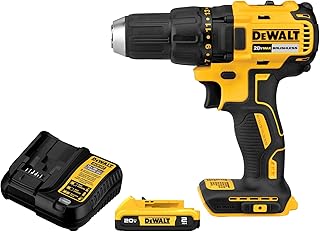 DEWALT 20V MAX Brushless Drill Driver Set DEWALT 20V MAX Brushless Drill Driver Set |
$99.00 | 4.7 | 1/2″ chuck, 2-speed, 2.0Ah battery, LED light | Buy Now |
 DEWALT 20V MAX 2-Tool Combo Kit DEWALT 20V MAX 2-Tool Combo Kit |
$169.00 | 4.8 | Drill + impact driver, 2 batteries, bag | Buy Now |
 DEWALT 20V MAX XR Oscillating Multi-Tool DEWALT 20V MAX XR Oscillating Multi-Tool |
$104.99 | 4.8 | Variable speed, LED, brushless motor, tool only | Buy Now |
 Dremel 8150 8V Brushless Rotary Tool Dremel 8150 8V Brushless Rotary Tool |
$79.99 | 4.6 | USB-C rechargeable, 5,000-30,000 RPM, 20 accessories | Buy Now |
 DEWALT 20V MAX XR Oscillating Tool Kit DEWALT 20V MAX XR Oscillating Tool Kit |
$124.50 | 4.8 | 3 speeds, up to 20,000 OPM, battery+charger included | Buy Now |
 DEWALT 20V MAX XR Jig Saw DEWALT 20V MAX XR Jig Saw |
$132.00 | 4.8 | 3,200 SPM, brushless, LED, tool only | Buy Now |
 Dremel 8250-5 12V Rotary Tool Dremel 8250-5 12V Rotary Tool |
$149.00 | 4.7 | 3Ah battery, charger, tool bag, 5 accessories | Buy Now |
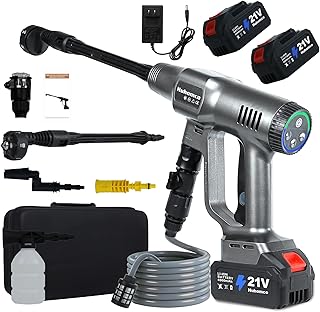 Cordless Power 1450PSI Brushless Cordless Power 1450PSI Brushless |
$99.99 | 5.0 | 1450 PSI pressure washer, brushless motor | Buy Now |
 2-in-1 Cordless Pole Saw 2-in-1 Cordless Pole Saw |
$69.99 | 3.2 | 21V brushless, adjustable extension, 2 batteries | Buy Now |
Internal Linking to Related Articles
To deepen your understanding of brushless motor care and longevity, explore these companion guides:
- Brushless Motor Dominance in Cordless Power Tools: Long‑term Durability Lessons from the Dewalt 20V Max Xr Brushless Drill Dcd791b in Everyday Use
- Keeping Brushless Motor Dominance in Cordless Power Tools Alive: Maintenance Checklist for the Milwaukee M18 Fuel Brushless Impact Wrench 2767-20
- Brushless Motor Dominance in Cordless Power Tools and Dust Control: Protecting the Bosch 18V Ec Brushless Sds‑plus Rotary Hammer Gbh18v-26n on Harsh Jobsites
- Battery, Electronics, and Motor Care: Extending the Life of Brushless Motor Dominance in Cordless Power Tools like the Ryobi One+ Hp 18V Brushless Reciprocating Saw Psbrss01b
Frequently Asked Questions
Why does my brushless impact driver slow down under load?
The motor controller reduces power to prevent overheating. This is normal if the tool gets very hot, but if it happens frequently, check your battery health and clean the air vents.
Can I use a higher‑amp‑hour battery to reduce overheating?
Yes. A battery with higher capacity (e.g., 5.0Ah vs. 2.0Ah) provides more stable voltage and runs cooler during heavy use.
How often should I clean the motor vents?
After every full day of heavy use, or weekly if you work in dusty environments. Use compressed air to blow out sawdust and debris.
Is it safe to open the motor housing to lubricate bearings?
Only if you’re experienced with power tool repair. Many brushless motors are sealed. Check your manual—some tools have serviceable gearboxes.
What should I do if my tool suddenly loses power and smells like burning electronics?
Immediately remove the battery. The motor windings or controller may have failed. Contact the manufacturer for warranty service. Do not continue using the tool.
Final Thoughts
Power loss and overheating in brushless tools like the Makita XDT16Z are almost always preventable with proper maintenance and smart usage habits. Clean your vents, check your batteries, and listen to your tool—it will tell you when something’s wrong. With the troubleshooting steps above, you can keep your brushless motor running strong for years.
And if you’re looking to upgrade or expand your brushless collection, the tools compared above offer proven reliability across a range of applications—from drilling and driving to oscillating and cutting. Invest in good tools, maintain them well, and they’ll return the favor on every job.